Every second counts when someone visits your WordPress site. Research shows that 53% of mobile users abandon sites that take longer than 3 seconds to load. That's not just a statistic. It's potential revenue walking out the door from your business. Page speed optimization focuses on creating an experience that keeps visitors engaged and converts them into customers. Whether you're running a WooCommerce store or a content-heavy blog, the principles remain the same: faster sites tend to generate more revenue and rank better in search engines.
You don't need to be a developer to improve your WordPress site speed. Experience managing WordPress installations reveals consistent patterns in what actually moves the needle. This guide walks through strategies that have helped e-commerce sites reduce load times from 8-10 seconds down to under 3 seconds, often resulting in measurable improvements in conversion rates and search visibility.
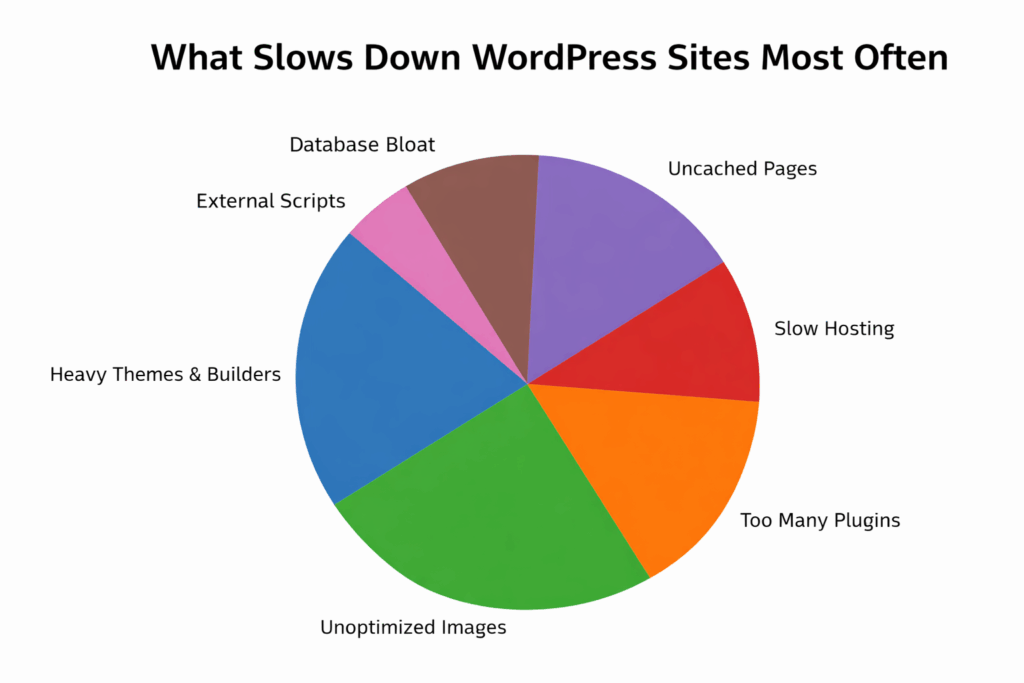
The pie chart shows common causes of slow WordPress and WooCommerce websites. Leading issues include unoptimized images and bloated themes or page builders, which add unnecessary code and increase load time. Too many plugins and a lack of caching degrade performance by creating conflicts and requiring more server processing. Low-quality hosting, database bloat, and external scripts also slow speeds. These elements show why efficient design, image compression, plugin management, and ongoing maintenance matter for fast, responsive sites.
Page speed affects how users interact with WordPress sites from the first load. Fast pages create smoother experiences, encouraging visitors to stay longer and engage with products or services. Slow load times interrupt the flow, increase impatience, and lead to abandonment before action, especially when competing sites load faster.
Performance goes beyond usability. Search engines favor faster websites because they deliver better user experiences, particularly on mobile devices. For WordPress and WooCommerce sites, page speed signals reliability and professionalism. Fast-loading sites build trust, support stronger rankings, and drive higher conversions.
Key reasons page speed optimization matters:
Most WordPress sites gradually slow as performance issues accumulate. Each new theme feature, plugin, image upload, or design change adds extra load. While these changes seem minor individually, together they increase page load times and reduce responsiveness. Most speed issues come from common sources that are straightforward to address once identified.
Feature-rich themes and advanced page builders make design easier and more flexible. They also load large CSS files, JavaScript libraries, and dynamic elements on every page, even when unused. This extra code increases page size and slows loading, particularly on mobile.
WordPress professionals have consistently observed 30-40% speed improvements when migrating client sites from Divi and Elementor to GeneratePress or Kadence. Lightweight, performance-focused themes load only what's needed, resulting in faster rendering and smoother browsing.
Common troubleshooting scenario: When themes load large CSS files on every page but only basic layouts are being used, checking the theme's documentation to disable unused features can significantly improve performance.
Images add visual appeal but are a leading cause of WordPress slowdowns. High-resolution images uploaded directly from cameras or design tools are much larger than necessary. Without optimization, these large files significantly increase load times and consume bandwidth.
Common image-related issues:
Optimizing images before or during upload maintains visual quality while improving performance.
Real-world challenge: A 3000x2000px product photo is 4-5 MB but displays at 800x600px. Compressed and resized, it should be under 150KB with minimal visual difference.
Plugins extend WordPress functionality, but each adds code that must be loaded and executed. Too many plugins, or multiple plugins performing similar tasks, conflict and create processing overhead. This slows page rendering and increases server load.
Regular plugin reviews matter for WooCommerce stores. Quarterly site audits typically reveal 5-10 plugins that can be removed or consolidated. Removing unused plugins, replacing heavy plugins with lighter alternatives, and avoiding feature overlap keep sites fast, stable, and easier to maintain.
Implementation tip: For sites running more than 30 plugins, auditing which ones load on every page is essential. Most caching plugins allow control over where each plugin loads.
Improving site speed doesn't require advanced technical knowledge or complex development. Most effective optimization techniques focus on practical decisions that reduce unnecessary load and improve content delivery. When applied correctly, these changes produce noticeable performance gains without disrupting design or functionality.
Hosting forms the foundation of website performance. Well-designed and optimized WordPress sites still feel slow on underpowered or overcrowded servers. Quality hosting ensures faster server response times, better uptime, and more consistent performance during traffic spikes.
When evaluating hosting providers, consider:
Reliable hosting creates a baseline for other optimization efforts.
What to watch for: Shared hosting with hundreds of sites per server struggles during traffic spikes. When Time to First Byte exceeds 600ms, hosting is typically the bottleneck.
Page caching substantially reduces load times by serving pre-generated page versions instead of rebuilding them for every visitor. This reduces server processing and allows content to load faster, particularly for returning users.
Caching is one of the most effective optimization methods and delivers noticeable improvements with minimal setup.
Caching challenge: WooCommerce cart and checkout pages shouldn't be cached because they display real-time information. When stale cart data appears, checking caching rules should be the first troubleshooting step.
Images play a major role in page size and load time. Image optimization reduces file sizes while maintaining visual quality, helping pages load faster without sacrificing appearance.
Practices that help:
Consistent image optimization improves performance across product pages, blogs, and landing pages.
Practical approach: Before uploading images, check file sizes. When a single image exceeds 300KB, it needs to be optimized. The target should be 50-150KB per product photo.
External scripts like fonts, analytics tools, and marketing trackers delay page rendering because they rely on third-party servers. While many scripts serve useful purposes, too many noticeably slow sites.
Reducing or consolidating unnecessary external scripts improves speed and reliability, creating a smoother experience across all devices.
Script management reality: Every tracking pixel and chatbot introduces an external connection. When 15+ external scripts are loading, auditing which ones are still being used becomes critical.
WooCommerce stores face additional performance challenges because core features are dynamic and update in real time. Shopping carts, product filters, variations, and checkout processes require frequent database queries and scripts to function. Without optimization, these features slow page load times and create friction that affects the shopping experience.
Product pages drive the most visits and revenue on WooCommerce stores. When these pages load slowly, customers leave before adding items to the cart. Keeping product pages lean ensures faster load times and better engagement.
To improve product page performance:
Product page challenge: WooCommerce loads variation data via JavaScript. A shirt with five colors and six sizes generates 30 variations, all of which load on page view. Checking for unnecessary variation data or high-resolution images for every option can reveal significant optimization opportunities.
Cart and checkout are the most critical steps in the buying journey. Slow-loading carts or checkout pages create frustration and directly contribute to abandoned purchases. These pages should prioritize speed, clarity, and simplicity over design complexity.
Optimizing checkout builds trust, reduces hesitation, and helps customers complete purchases with fewer interruptions.
Checkout speed trap: Payment gateways, address validation, and shipping calculators all load on checkout. When checkout feels slow, temporarily disabling extensions can help identify the culprit.
WooCommerce stores generate large volumes of data: orders, customer sessions, revisions, and temporary records. Over time, this data accumulates and slows database queries if not maintained.
Regular database maintenance includes:
Database reality: A store processing 100 orders daily accumulates roughly 36,500 order records annually. When a database exceeds 500MB without recent cleanup, substantial bloat is likely.
Most WooCommerce shoppers browse and shop on mobile devices, using slower or less stable connections. Mobile performance is as important as desktop speed, sometimes more so.
Responsive themes automatically adjust layouts based on screen size, ensuring that mobile users load only essential elements. This prevents unnecessary scripts and large assets from slowing experience on smaller devices.
Large banners, sliders, and videos look appealing on desktop screens, but noticeably slow mobile load times. Simplifying visuals improves performance and usability on mobile.
Practices that help:
Mobile optimization insight: Mobile devices have limited processing power. A parallax effect that runs smoothly on a laptop stutters on older smartphones. Testing on actual mobile devices, not just browser responsive mode, provides more accurate performance feedback.
Focusing on WooCommerce-specific and mobile optimizations ensures faster, more reliable performance across all devices and improves overall conversion rates.
Page speed optimization isn't a one-time task but an ongoing process that benefits from regular evaluation. As products, content, plugins, or design updates are added, performance changes. Continuous testing helps identify new slowdowns early, measure the impact of improvements, and maintain consistent loading speeds as sites grow.
Performance testing tools reveal how quickly pages load, how large they are, and where bottlenecks occur. Running tests on a regular schedule helps spot trends and catch issues before they affect users.
For more accurate results:
Testing tip: Relying on a single testing tool doesn't provide the complete picture. GTmetrix, PageSpeed Insights, and WebPageTest show different results. The focus should be on trends: whether sites are getting faster or slower over time.
Speed improvements should be measured by how real users interact with sites. Analytics data shows whether performance changes actually improve the shopping experience.
Key metrics worth monitoring:
Combining performance testing with real user behavior ensures optimization efforts deliver meaningful results.
Analytics insight: A perfect PageSpeed score means nothing if users still leave quickly. Perceived speed matters more than measured speed. Watching session recordings helps understand the actual user experience.
Maintaining fast load times requires consistency, not one-time fixes. As WordPress or WooCommerce sites grow, new products, plugins, content updates, and design changes gradually reintroduce performance issues. Treating page speed optimization as ongoing site management, rather than a one-time checklist, maintains speed over time.
Long-term performance success comes from building habits that prioritize speed at every stage of growth. Regular monitoring, intentional design decisions, and disciplined maintenance prevent slowdowns before they impact users. When speed is considered throughout the workflow, sites remain fast, reliable, and conversion-friendly even as traffic and complexity increase.
Practices that support sustained optimization:
Following these practices consistently helps WordPress and WooCommerce store owners maintain site speed over time, support steady growth, and deliver fast experiences that keep customers engaged and coming back.
Performance plugins help improve page speed without requiring custom development. These tools focus on caching, image optimization, script management, database cleanup, and content delivery, helping WordPress and WooCommerce sites load faster, feel more responsive, and convert better.
Below are five commonly used plugins that help optimize page speed. Each addresses a specific performance bottleneck and can be combined strategically depending on needs.
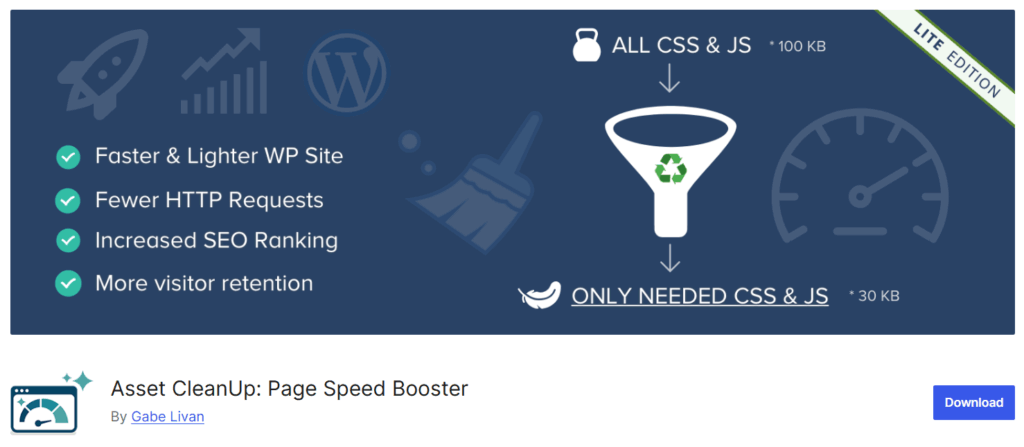
Asset CleanUp improves page speed by preventing unnecessary scripts and styles from loading on pages where they aren't needed.
Key features:
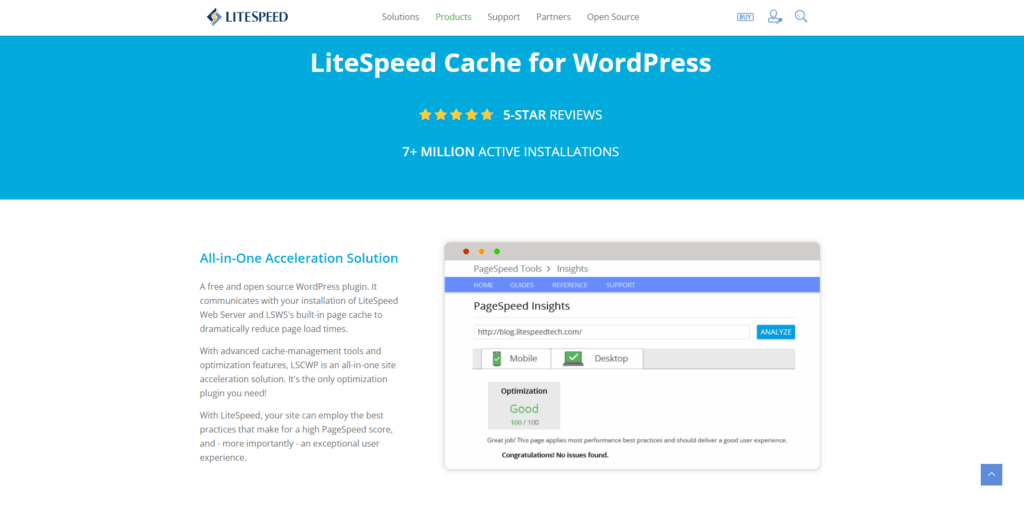
LiteSpeed Cache is a performance optimization plugin built for servers running LiteSpeed. It combines caching with advanced performance features into a single solution.
Key features:
WP Super Cache is a lightweight caching plugin that serves static HTML files to users, reducing server load and speeding up delivery.
Key features:

Autoptimize focuses on optimizing scripts and styles by aggregating and compressing files, reducing page size and render time.
Key features:

ShortPixel reduces image file sizes while preserving visual quality, helping pages load faster without compromising design.
Key features:
Page speed optimization helps WordPress and WooCommerce stores load faster, perform better, and convert more visitors into customers. A site that loads in under 3 seconds feels professional, trustworthy, and easy to use across all devices.
Effective approaches often combine multiple strategies: lightweight design choices, consistent image optimization, quality hosting, strategic caching, and regular testing. What works best varies by site. A content-heavy blog faces different challenges than a store with 5,000 product variations.
Performance optimization also requires ongoing attention. The improvements implemented today can gradually degrade as features, products, and integrations are added. Quarterly performance audits, systematic image workflows, and disciplined plugin management help maintain speed as sites evolve.
Performance optimization works best when approached systematically. Starting with hosting and caching foundations, then addressing images and database bloat, creates a solid performance baseline. For complex WooCommerce stores with custom requirements, specialized technical guidance can help accelerate implementation while business owners focus on growth.
"*" indicates required fields
"*" indicates required fields
"*" indicates required fields